Starting with Excel or LibreOffice makes sense: it costs little or nothing, you know it, and you can shape it however you like. A column for the name, one for the phone number, one for the expiry date, conditional formatting that turns expired members red. For thirty members it works fine, and there is no reason to change.
The trouble starts with exceptions. A three-week suspension means recalculating the expiry by hand. A full class means keeping the waiting list somewhere else. Two people updating the same file create two versions. And the sheet will never tell you by itself that a member is coming half as often as last month.
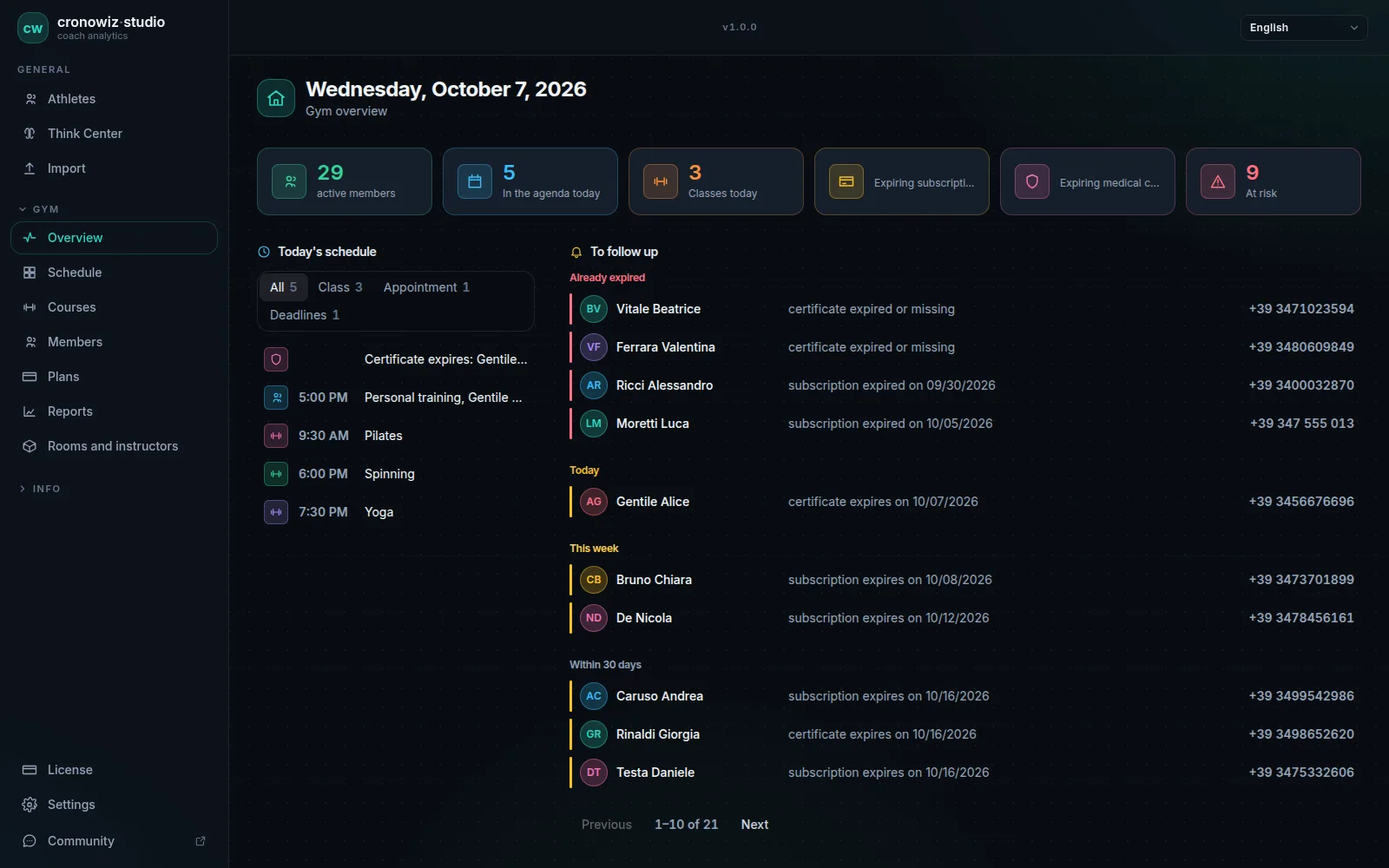
cronowiz Studio is the next step for people who want to keep their data in-house, as with a spreadsheet, without moving to a cloud service with a monthly fee. It is offline gym management software that costs €199 once and saves everything in a file on the computer, which you copy for backup just as you did with the sheet.
-
A spreadsheet is enough if…
few members, fixed-term memberships, no capped classes, one person at the desk.
-
Suspensions
in Studio they move the end date by themselves; in a sheet you recalculate by hand.
-
Schedule and waiting list
capacity, waiting list and no-shows in one place, not three files.
-
The month in numbers
active, new, lost and renewal rate, without pivot tables.
When a spreadsheet is enough
If you have a few dozen members, sell two or three fixed-term membership types, have no classes with a maximum number of places and you are the only one at the desk, a well-built sheet is all you need. Add a column for the medical certificate, one for notes, and copy the file every week.
There is nothing unprofessional about that. Software you do not need is just one more thing to learn.
Signs the sheet is no longer enough
You spend more time fixing the sheet than using it. You recalculate expiry dates for suspensions and make-up sessions. The waiting list lives in a notebook. You found out a member had been expired for a month only because they told you. You cannot answer “how many members did we lose this quarter”. A colleague overwrote the file.
If you recognise two or three of these, the sheet is already costing more than it looks.
Moving from a spreadsheet to Studio
Studio does not import a spreadsheet directly: members are entered in the program. For a small gym that is a few hours’ work, and it is easiest to do it gradually, as each member renews, keeping the sheet for reference until the last one has moved over.
First you create the plans you sell, then rooms, instructors and recurring classes. From then on new sales and renewals happen only in Studio. Reports export to CSV, so if you like working on numbers in a spreadsheet you can keep doing so.
Your gym in one program. Your data in your gym.
Windows and Linux · €199 once, no subscription
The questions people usually ask
Can I import my Excel file into Studio?
No, there is no direct import from Excel. Members are entered in the program, perhaps gradually as each one renews.
Can I export data to a spreadsheet?
Yes. Reports export to CSV, which opens in Excel or LibreOffice.
Does Studio keep the data local, like a spreadsheet?
Yes. Everything is in a file on the gym’s computer, with full backup and restore from the settings.
How does the cost compare with a spreadsheet?
€199 once, with no subscription. Excel or LibreOffice may cost less or nothing: the difference is paid back in time saved.
Can several people work in it together?
Yes. On the same computer one at a time, or on several computers at once: the others connect to the gym PC as workstations, each with its own licence, and work on the same data.
Does Studio do everything my spreadsheet does?
That depends on what you put in it. Studio does not have free-form columns: it has member details, notes, certificates, memberships, a schedule and reports. If your sheet also does your bookkeeping, that stays outside.